

Latest updates
Version 4.4.0 · Oct 30, 2026
Every metric the app shows is defined in the glossary: Glossary
Guides, help and developer docs: docs.taoswap.org
For AI agents: llms-full.txt
Baskets for everyone
A basket spreads one purchase of τ over a validator's subnets. Baskets, a new page in the Trade menu, lists every basket you can buy, and each one lives in the Basket section of its validator's page, where you buy its shares.
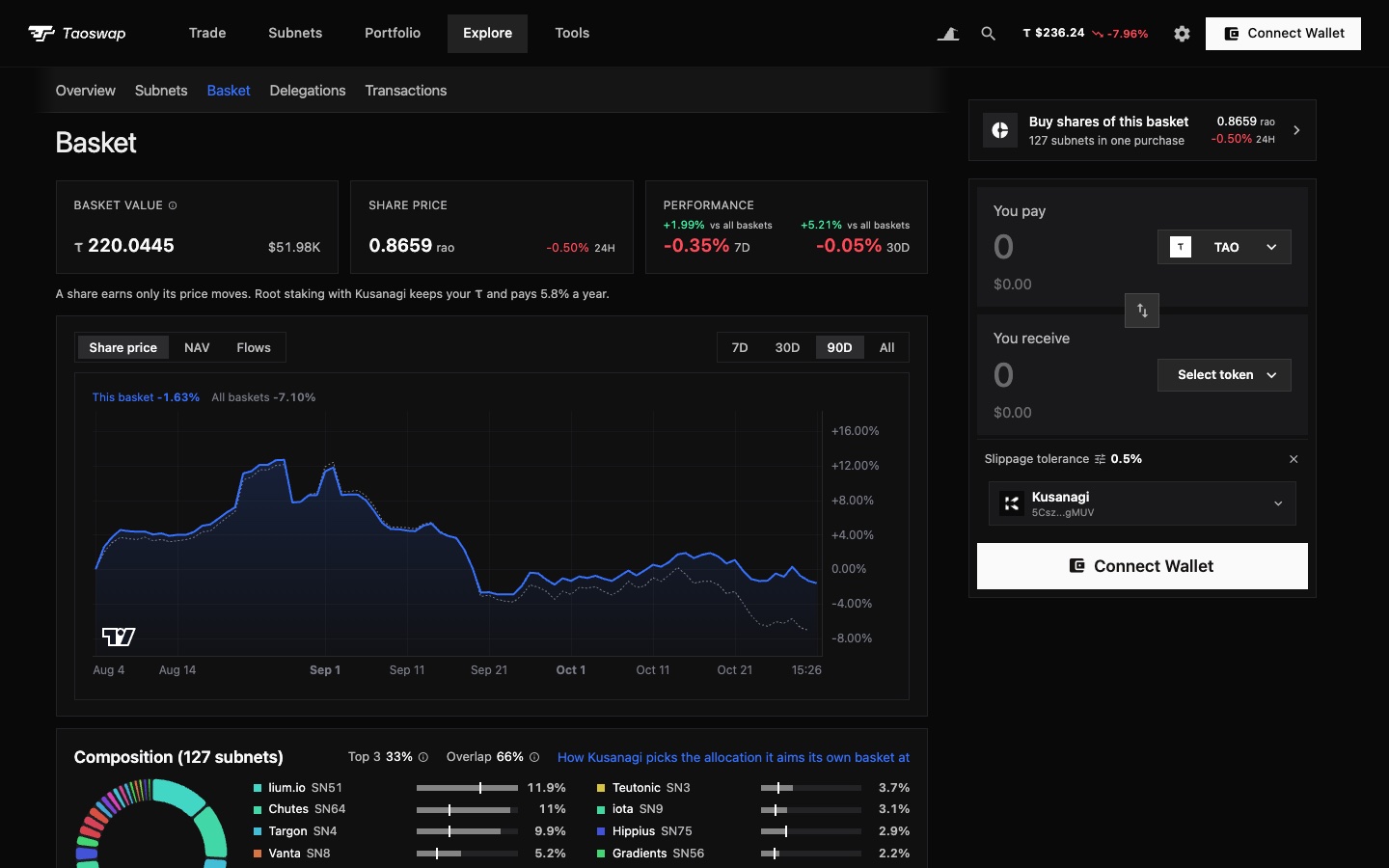
- The Baskets pageThe value of all baskets and how they moved, the most rebalanced and those ahead of or behind all baskets, then one row per basket, the week's best first: share price, value, performance over 1, 7 and 30 days and since its start, root APR, basket APY and holders. Search finds a name or a hotkey, and a row's Buy button opens the purchase.
- The Basket sectionOn the validator's page, a chart sets the share price against all baskets, with the basket's value and its flows, from 7 days to its whole life. A green B marks each of your purchases, which Customize can hide.
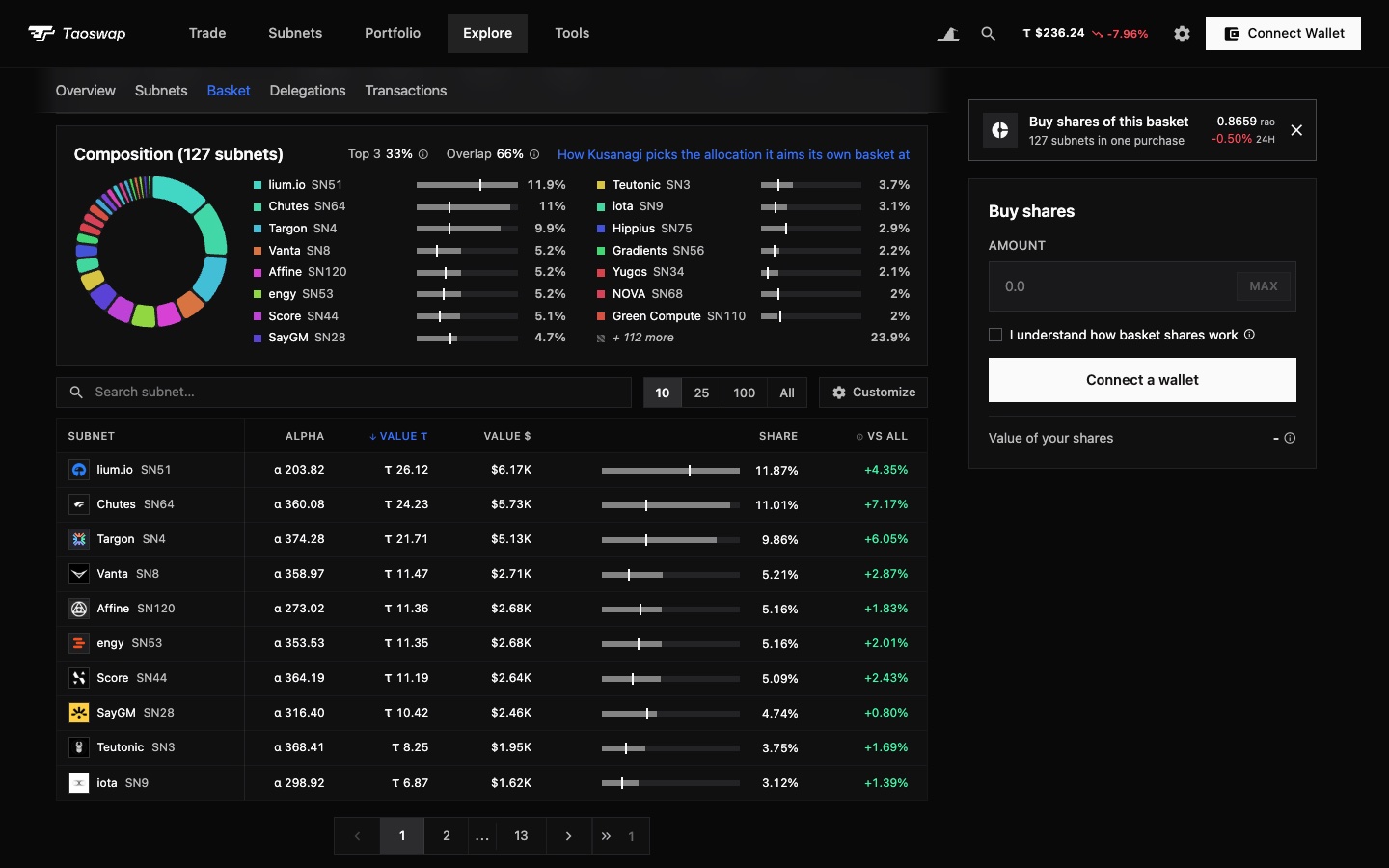
- CompositionBeside the donut and in the holdings table, each subnet's share sits on a bar with a mark for its weight across all baskets, the table adding the gap between the two in its vs all column. Beside its title, the top 3's share of the value and the overlap with all baskets. The legend's last row, + more, unfolds every holding in place.
- RebalancingUnder the holdings, every rebalance sits in one table, narrowed by a subnet filter and walked through by numbered pages. Kusanagi's basket explains its target in four sentences, from the emission its subnets earn, read live.
- Buying sharesBuy shares of this basket, above the swap, opens the purchase in its place, your position and Redeem under it; on a phone, it opens in the Basket section. The acknowledgement takes one line and the purchase one sum, its detail behind the info icon.
- On ValidatorsThe Baskets table and the basket composition grid search a name or the start of a hotkey.
Bridge from the swap card
The swap card, on the home page, a subnet's page and Spot, now pays with USDC or ETH from your Ethereum wallet, into TAO, staked TAO or a subnet's alpha, and turns TAO or a position's alpha into USDC or ETH on Ethereum, through TAO.com as on the Bridge page.
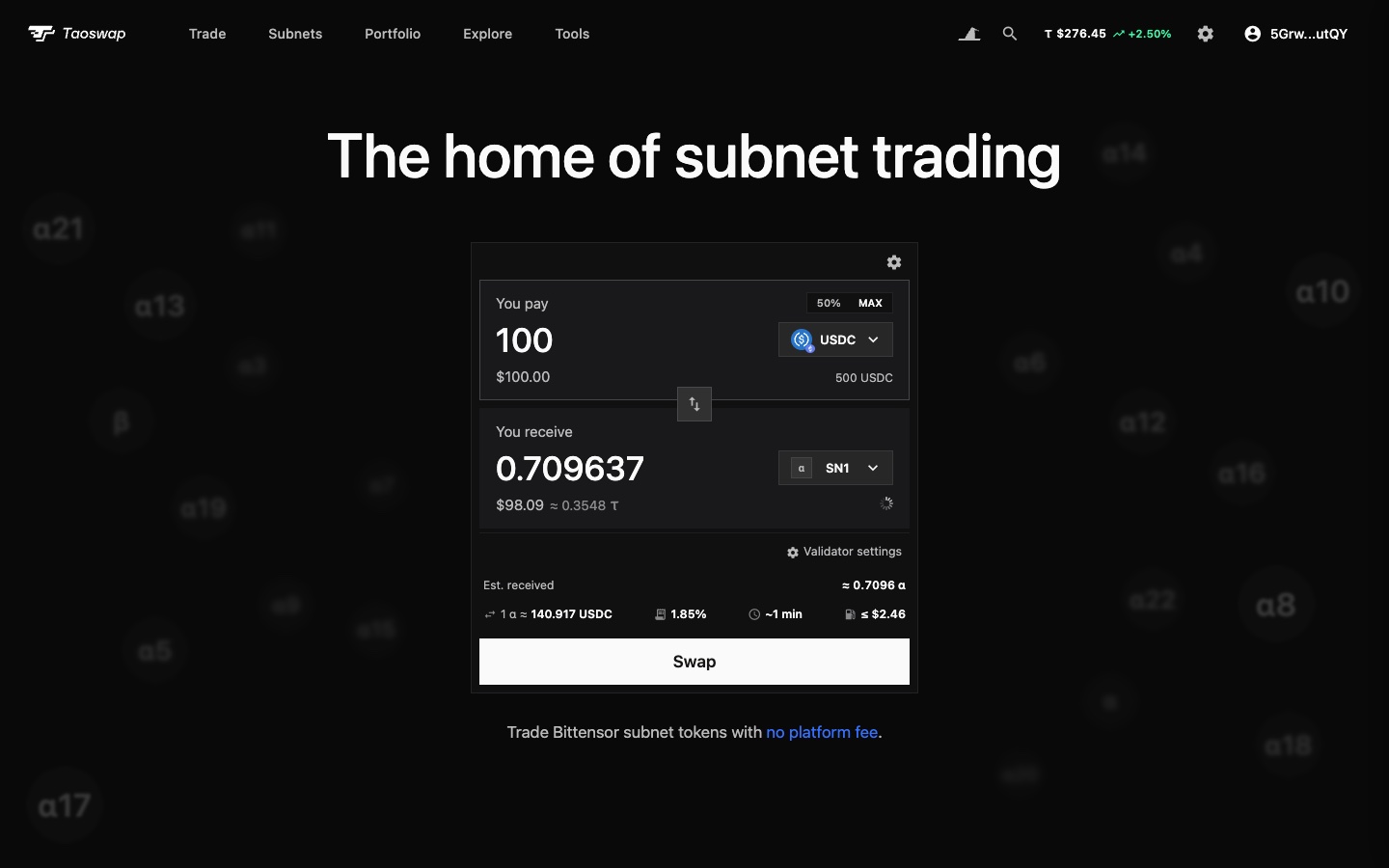
- In the token listUSDC and ETH sit under TAO and Staked TAO, priced before you connect an Ethereum wallet and with your balance after. Show Ethereum tokens, in Customize, hides them.
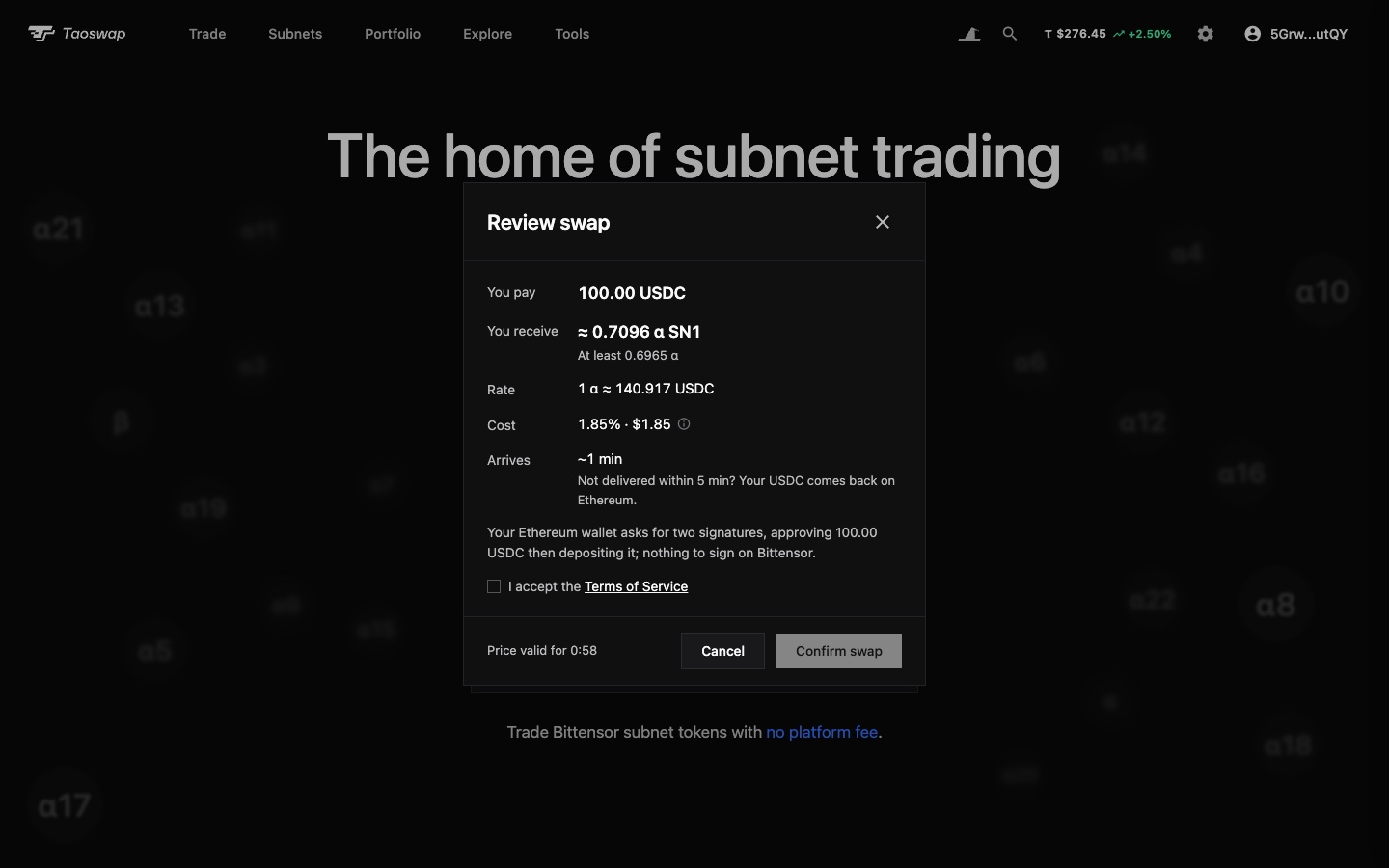
- Subnets both waysIn, the delivery stakes the alpha with the validator you choose, with nothing to sign on Bittensor. Out, a position's alpha is swapped to TAO first, in one more signature.
- One review before you signWhat you pay and receive, the least delivered, the signatures, and the cost in percent and in dollars, its lines behind the info icon.
- Followed to deliveryThe transaction notification follows every bridge, from this card or the Bridge page, until delivery on Bittensor or Ethereum, even after a reload, then names what arrived, with its Etherscan link.
The testnet faucet reopens to everyone
No mainnet τ needed any more: the testnet faucet pays without a wallet, and more to a wallet that holds τ. Bot it and it gets turned off for everyone: test τ has no value, and there will never be an airdrop for using testnet.
- Without a walletPaste a testnet address and claim τ 1, once a day per IP and per address, from a budget everyone shares each day.
- With a mainnet walletSign with a wallet that holds at least τ 0.1, free or staked, to claim τ 10 at a time, up to τ 50 a day.
Validator pages
The header shows the root APY over the longest window with full data, from a year down to 30 days, and names that window. The subnets table sorts on every column and fits narrower screens. A pending childkey change shows today's share and the one it takes, with the wait to the minute, and the parents panel names what each parent gives. The history chart can draw the root and alpha parts of the total stake, and the basket's positions get the page's search, page size and Customize.
Extrinsics by hash
Paste an extrinsic's full hash in the search bar, or on Blocks, to open it.
Figures on a phone
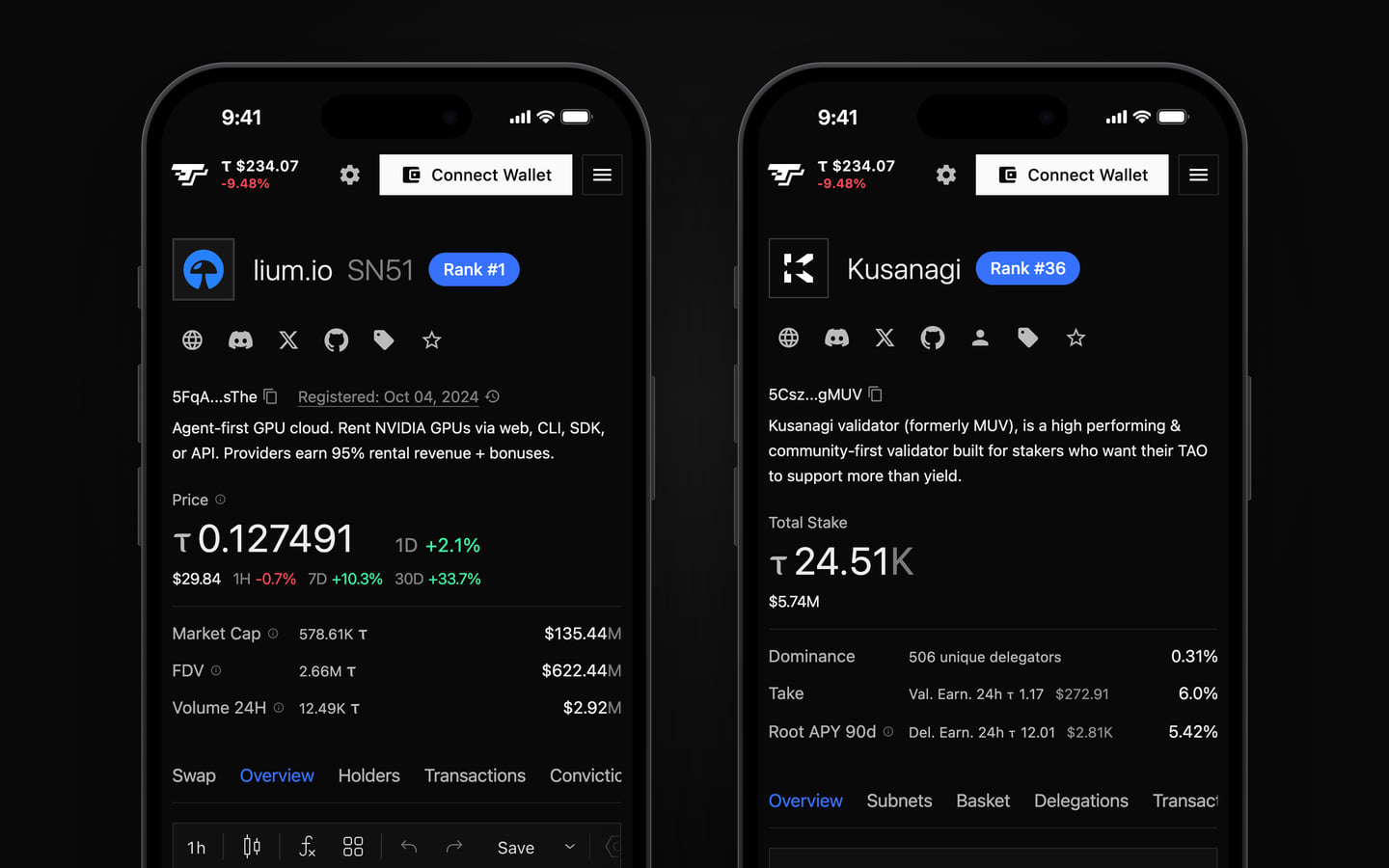
On a phone, the figures heading a subnet, a validator, a portfolio or a block read like a quote: the first one large, the others as rows beneath it.
Connecting a wallet
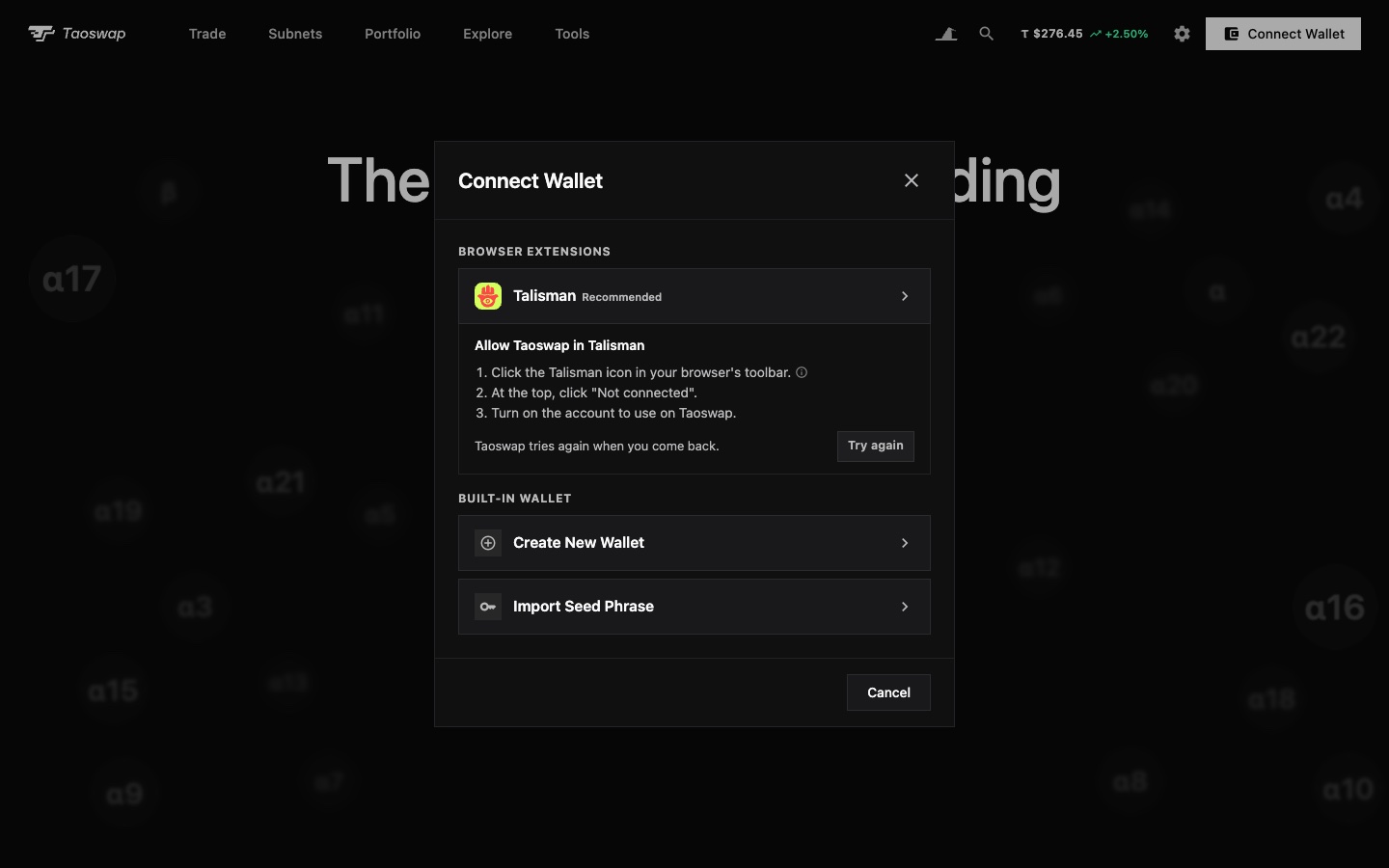
When Talisman or another extension holds Taoswap back, the wallet dialog shows what to do in the extension, then connects as soon as you come back. While the extension waits for your answer, the dialog tells you where to find its window. A signature refused the same way, for an account the extension no longer shares or after it updates, says what to do too.
Fixes
Holders, delegations and a subnet's trades number their pages, so you can jump to any of them. The MEV Shield relay's fees read as offered by Taoswap. Bridge reads Ethereum through another free node when one fails, finds a deposit you sped up however old it is, and keeps following a bridge out from a subnet position after its swap to TAO, even if you leave the page. A hidden chart series dims without being struck through. The chart saves an indicator or drawing changed just before you leave the page, and a saved chart that fails to load is no longer replaced by the default one. The update toast opens these notes on their own page.